Allowing you to print and manage data simultaneously
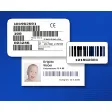
Label Flow works as a free label printing software that enables people to print and at the same time extract data from barcodes. This barcode editor is competitive considering that you don’t have to pay for it. Downloading this will make cost-cutting less of a pain and not to mention, make you a better manager of your goods. By using this app, you can streamline your business matters using Automatic Identification and Data Capture (AIDC), this software will allow you to do that.
Top Recommended Alternative
Not just the standard
GS1 Databar, 1D, and 2D formats barcode. You can also gather data from other databases that you have in the past. Codes 128, 93, and such can be processed on this business inventory management software. Even the more advanced QR codes or data matrix are doable through this software.
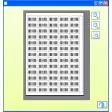
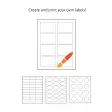
Nearly 2,500 templates you can use for different business types are at your disposal. Whether it be for shipping, return addresses, you can certainly designate a barcode for it here. You can use them as they are, but the software gives you a chance to add extras if you wish.
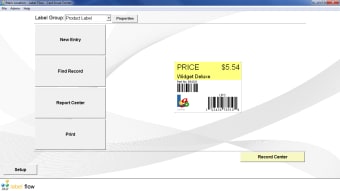
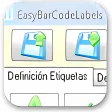
Its interface looks like your average windows program. Each component is laid out neatly and you won’t find yourself fumbling and losing sight of tools you need to use. The Windows-only barcode creator will let you put in letters and numbers as well as various symbols to get you started on your barcodes.
Users who are having a difficult time designing can either read the PDF learning resource found on their website or contact customer support. You also have the choice to watch video tutorials on its YouTube channel if you want more than just text guides.
Less complicated printing
It’s often a struggle to stay on top of printing and managing your inventory. Luckily, the barcode printing process can be simplified on the software. You just have to put in the necessary information like print condition and number of prints to commence. It will streamline label production and your data as well using the commands of the printer you are going to use.
New users can easily introduce the software to their existing database, making consolidation painless. You need a live connection to do this. Another useful feature is the command-line utility that allows you to print from third-party apps. You can pass and send batch files as long as they are in the XML format.
Final thoughts
Label Flow is a functional software and its strong database support is a plus, too. It has a small filesize and it does not have high system requirements which will allow you to run this without fancy devices. As an alternative, you opt to use Labeljoy which is a software similar to Label Flow. It supports the most common types of barcodes often used for labels, letters, and other applications. Ean 13, ITF 14, UPC, Code 39, Code 93, GS1-128, Code 39 Extended, Interleaved 2 of 5, Industrial 2 of 5, Codabar, Datamatrix, Postnet code, Planet Code and 2D Barcode Data Matrix are just some of the standards it offers.